mirror of
https://github.com/jwetzell/docker-guacamole.git
synced 2026-08-13 19:33:47 +00:00
 oznu
oznu
69 lines
3.0 KiB
Markdown
69 lines
3.0 KiB
Markdown
[](https://hub.docker.com/r/oznu/guacamole/) [](https://travis-ci.org/oznu/docker-guacamole) [](https://hub.docker.com/r/oznu/guacamole/)
|
|
|
|
# Docker Guacamole
|
|
|
|
A Docker Container for [Apache Guacamole](https://guacamole.incubator.apache.org/), a client-less remote desktop gateway. It supports standard protocols like VNC, RDP, and SSH over HTML5.
|
|
|
|
This image will run on most platforms that support Docker including Docker for Mac, Docker for Windows, Synology DSM and Raspberry Pi 2/3 boards.
|
|
|
|
[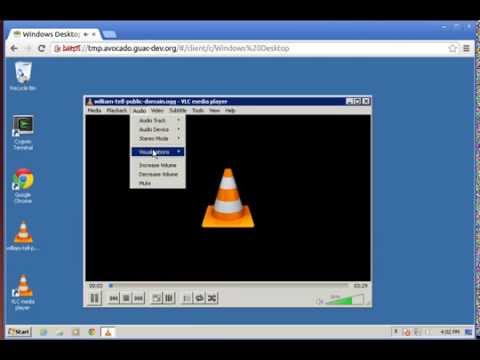](http://www.youtube.com/watch?v=esgaHNRxdhY "Video Title")
|
|
|
|
This container runs the guacamole web client, the guacd server and a postgres database.
|
|
|
|
## Usage
|
|
|
|
```shell
|
|
docker run \
|
|
-p 8080:8080 \
|
|
-v </path/to/config>:/config \
|
|
oznu/guacamole
|
|
```
|
|
|
|
## Raspberry Pi 2+ / ARMv7
|
|
|
|
This image will also allow you to run [Apache Guacamole](https://guacamole.incubator.apache.org/) on a Raspberry Pi 2/3 or other Docker-enabled ARMv7/8 devices by using the `armhf` tag.
|
|
|
|
```shell
|
|
docker run \
|
|
-p 8080:8080 \
|
|
-v </path/to/config>:/config \
|
|
oznu/guacamole:armhf
|
|
```
|
|
|
|
*This image will not run on ARMv6 devices such as the original Raspberry Pi 1 or the Raspberry Pi Zero.*
|
|
|
|
## Parameters
|
|
|
|
The parameters are split into two halves, separated by a colon, the left hand side representing the host and the right the container side.
|
|
|
|
* `-p 8080:8080` - Binds the service to port 8080 on the Docker host, **required**
|
|
* `-v /config` - The config and database location, **required**
|
|
* `-e EXTENSIONS` - See below for details.
|
|
|
|
## Enabling Extensions
|
|
|
|
Extensions can be enabled using the `-e EXTENSIONS` variable. Multiple extensions can be enabled using a comma separated list without spaces.
|
|
|
|
For example:
|
|
|
|
```shell
|
|
docker run \
|
|
-p 8080:8080 \
|
|
-v </path/to/config>:/config \
|
|
-e "EXTENSIONS=auth-ldap,auth-duo"
|
|
oznu/guacamole
|
|
```
|
|
|
|
Currently the available extensions are:
|
|
|
|
* auth-ldap - [LDAP Authentication](https://guacamole.incubator.apache.org/doc/0.9.13-incubating/gug/ldap-auth.html)
|
|
* auth-duo - [Duo two-factor authentication](https://guacamole.incubator.apache.org/doc/0.9.13-incubating/gug/duo-auth.html)
|
|
* auth-header - [HTTP header authentication](https://guacamole.incubator.apache.org/doc/0.9.13-incubating/gug/header-auth.html)
|
|
* auth-cas - [CAS Authentication](https://guacamole.incubator.apache.org/doc/0.9.13-incubating/gug/cas-auth.html)
|
|
|
|
You should only enable the extensions you require, if an extensions is not configured correctly in the `guacamole.properties` file it may prevent the system from loading. See the [official documentation](https://guacamole.incubator.apache.org/doc/0.9.13-incubating/gug/) for more details.
|
|
|
|
## Default User
|
|
|
|
The default username is `guacadmin` with password `guacadmin`.
|