 oznu
oznuDocker Guacamole
A Docker Container for Apache Guacamole, a clientless remote desktop gateway. It supports standard protocols like VNC, RDP, and SSH over HTML5.
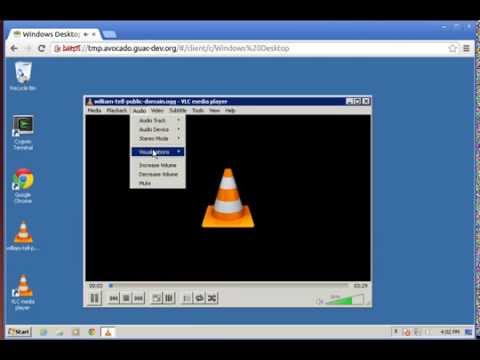
This container runs the guacamole web client, the guacd server and a postgres database.
Usage
docker run \
  -p 8080:8080 \
  -v </path/to/config>:/config \
  oznu/guacamole
Parameters
The parameters are split into two halves, separated by a colon, the left hand side representing the host and the right the container side.
-p 8080:8080- Binds the service to port 8080 on the Docker host, required-v /config- The config and database location, required-e EXTENSIONS- See below for details.
Enabling Extensions
Extensions can be enabled using the -e EXTENSIONS variable. Multiple extensions can be enabled using a comma separated list without spaces.
For example:
docker run \
  -p 8080:8080 \
  -v </path/to/config>:/config \
  -e "EXTENSIONS=auth-ldap,auth-duo"
  oznu/guacamole
Currently the available extensions are:
- auth-ldap - LDAP Authentication
- auth-duo - Duo two-factor authentication
- auth-header - HTTP header authentication
- auth-cas - CAS Authentication
You should only enable the extensions you require, if an extensions is not configured correctly in the guacamole.properties file it may prevent the system from loading. See the official documentation for more details.
Default User
The default username is guacadmin with password guacadmin.